How to setup CGST, SGST & GST in Magento 2?
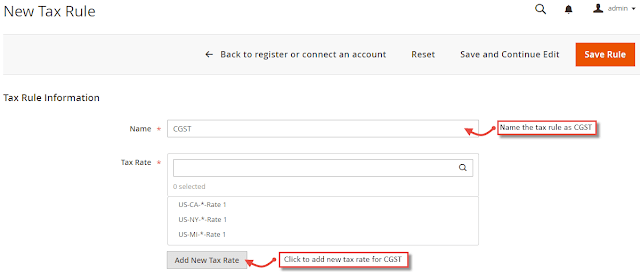
How to setup CGST, SGST & GST in Magento 2? Without Wasting Time Let's Roll. STEPS: 1) Create SGST, CGST and IGST tax rules. First of all go to Stores > Taxes > Tax Rules . Click on "Add New Tax Rule" button. 2) While creating SGST and CGST set the rate to 2.5%. For each state you need to set create and set this. 3) From Additional Settings , create product tax class named GST and select the same for all three CGST , SGST and IGST Rules. 4) Create tax rules and rates for SGST and IGST. 5) CGST , SGST and IGST tax rates are under Stores > Taxes > Manage Tax Zones & Rates . 6) Now most crucial step comes. Please pay attention on this point. Display GST taxes separately in all the order documents, you have to customize the code as default Magento 2 system does not provide the functionality. ...